Business Page Management Portal
Overview
1. Starting Point
MM is Vietnam's top e-wallet, reaching 36M+ users. The company first had a mobile Merchant App; after restructuring that experience, the team expanded the merchant management system into a web portal for deeper operations
The mobile app existed, but merchants lacked clarity and confidence.
Problem Statement:
Merchants found it difficult to understand, verify, and manage their Business Page effectively, leading to low confidence and underuse of customer-reaching tools.
- Business Page purpose was not clear enough for merchants
- Performance feedback was not visible after merchant actions
- The product did not guide merchants on what to do first.
- Features were scattered, making repeated use confusing.
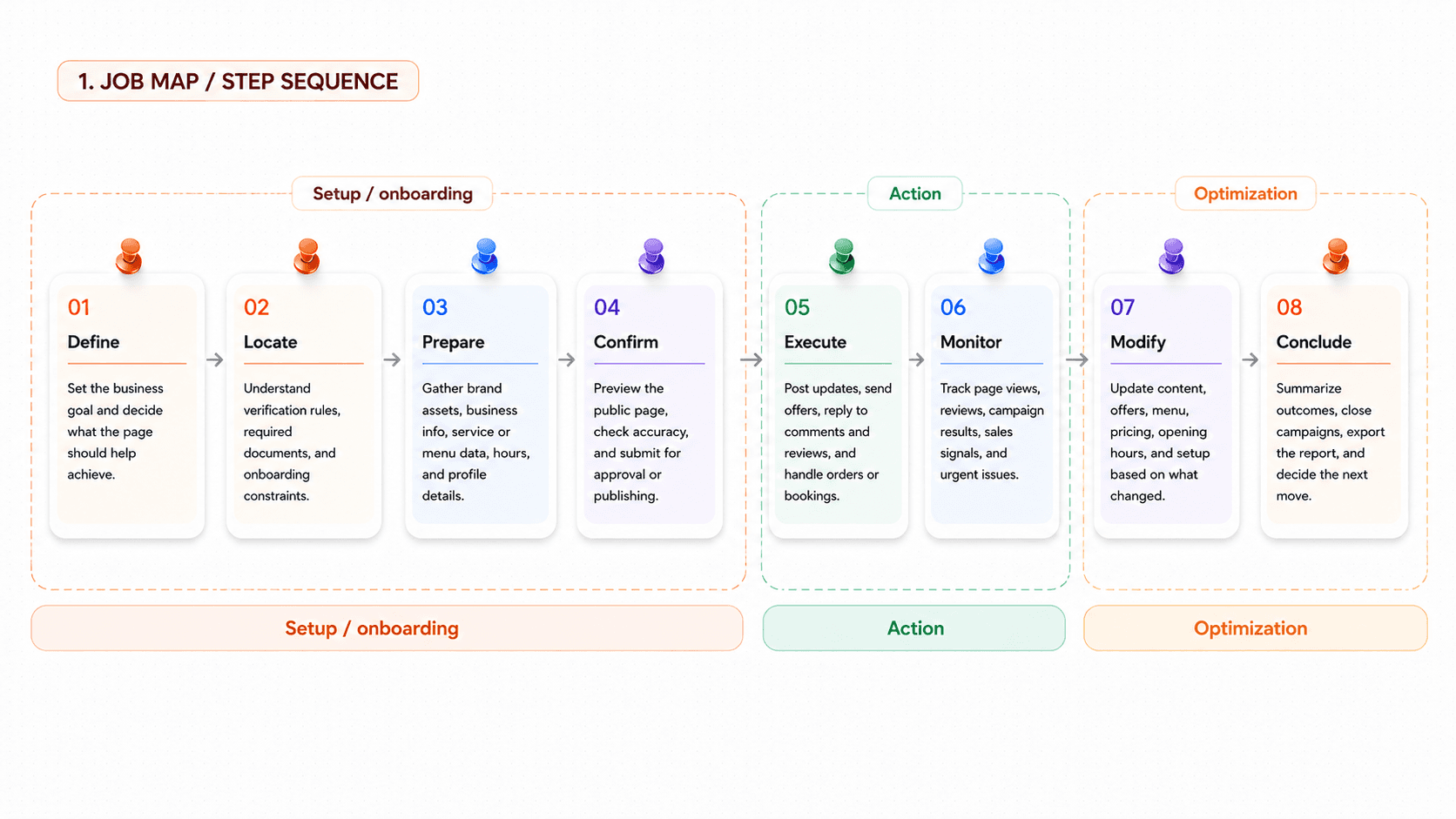
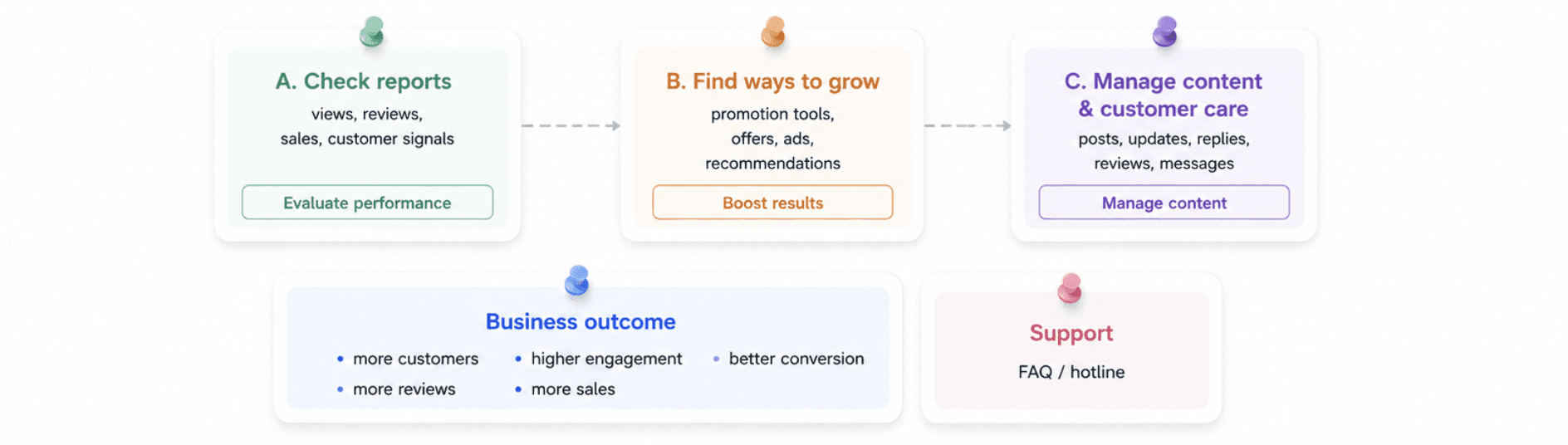
2.Merchant Job Map → Homepage Priority
Merged the existing JTBD groups with an 8-step job map to clarify what Home must help merchants do first.
3. Competitive Analysis
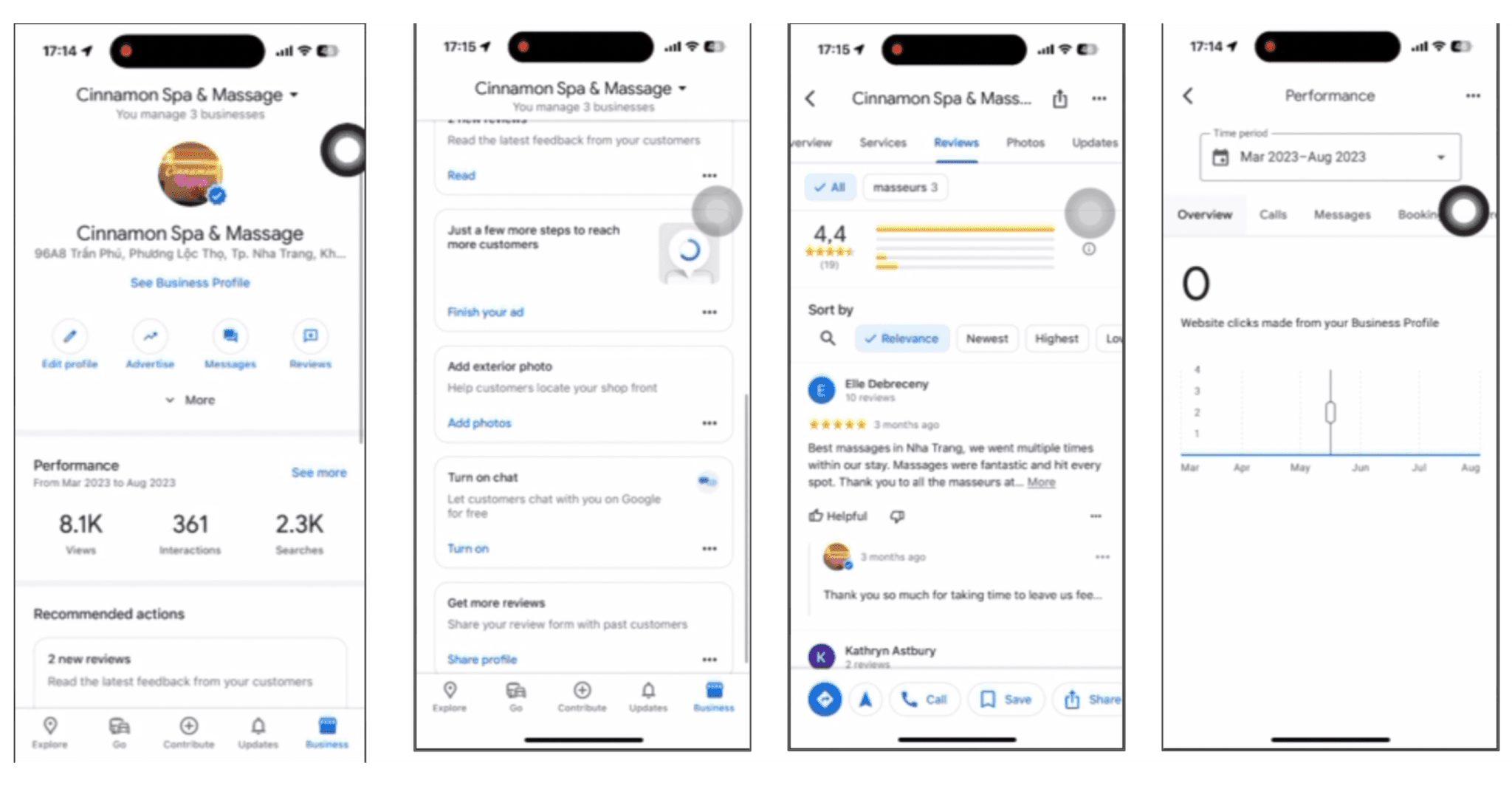
Compared five merchant/creator management products to decide what the first page should prioritize.
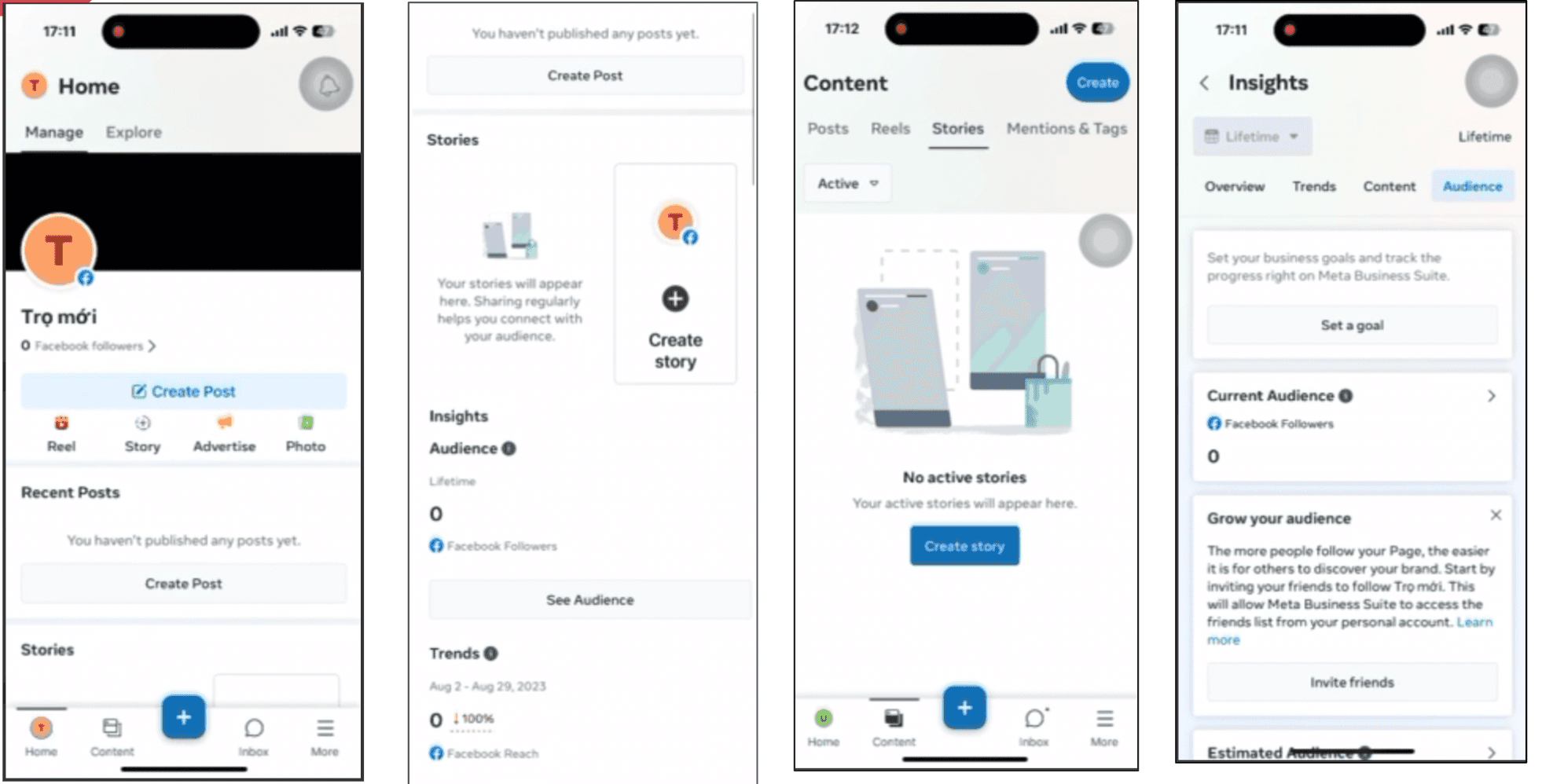
Google Business Profile Management App
Meta Business Profile Management App
Expanded Competitor Matrix
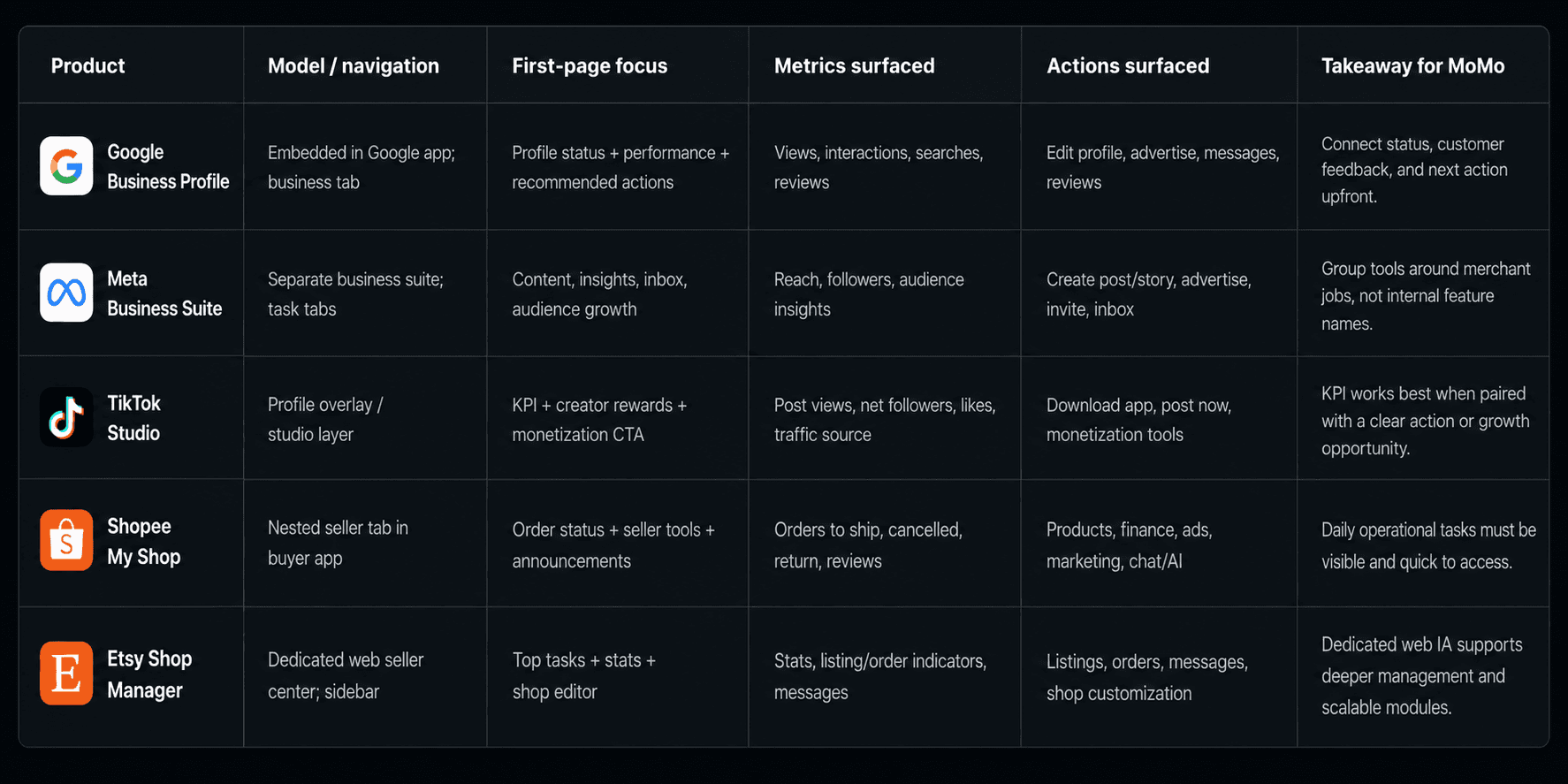
Takeaway: The strongest patterns combine ① performance visibility, ② operational tasks, ③ customer feedback, and ④ growth actions. This supports a Command Center homepage instead of a pure analytics dashboard.
4.Mobile Product Logic
Based on JTBD, user pain points, and competitor learnings, I restructured our Business Page management interface into 6 functional groups, aligning with real merchant behavior.
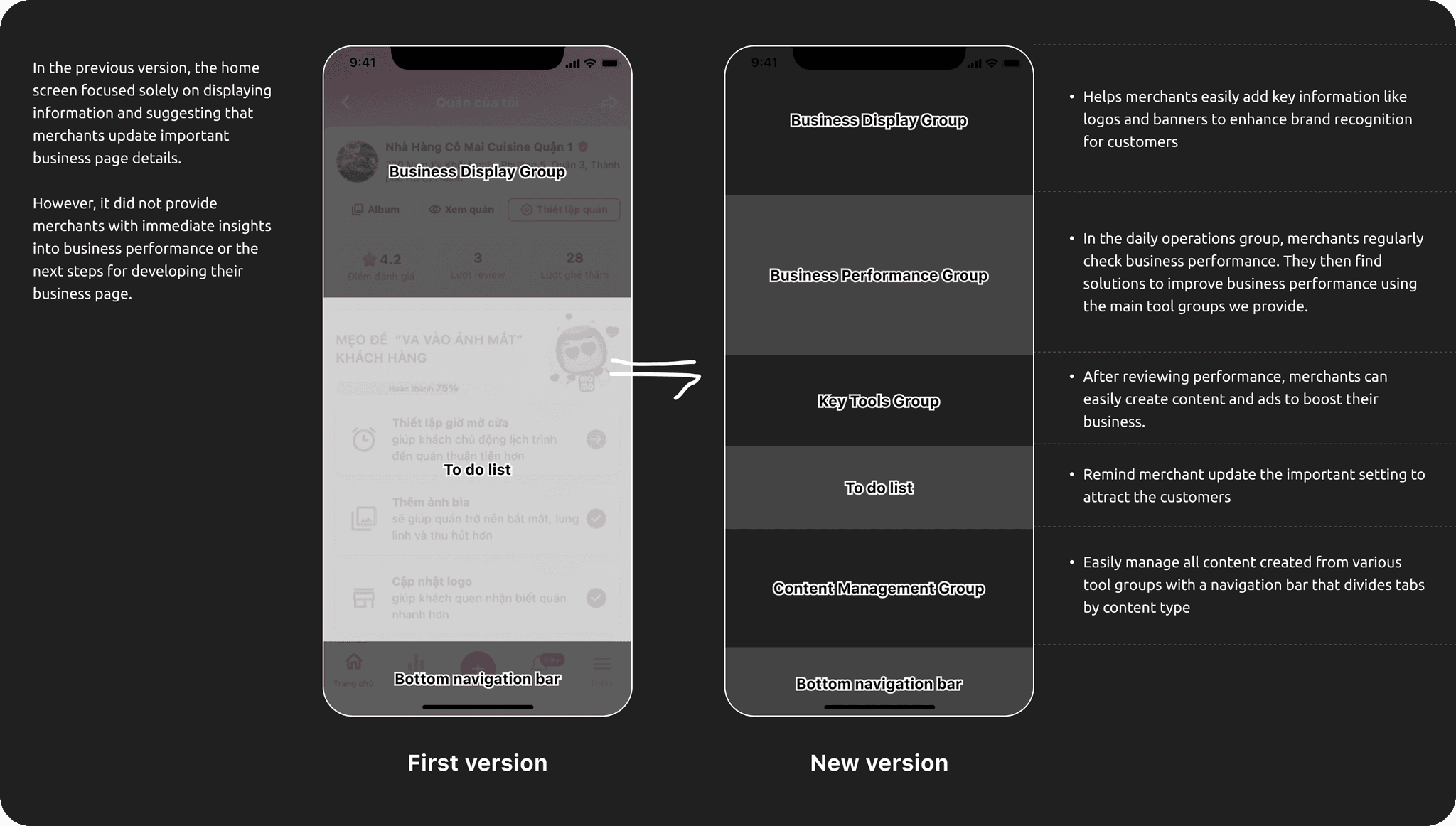
From “fill in page info” → “operate and grow your business page”. This became the backbone for the web portal.
5.Design Decisions From Research
The research synthesis guided concrete product-structure decisions, not just visual direction.
KPI-first helps scanning, but does not tell merchants what to do next. Task-first helps action, but can hide business health. The selected model combines a thin KPI layer, urgent actions, quick tools, and feedback.
Mobile handles quick daily actions and on-the-go responses. Web handles deeper setup, reporting, filtering, scheduling, and integration.
Competitors show feedback and customer conversations close to operations. Comments, reviews, and messages should be grouped so merchants can respond faster.
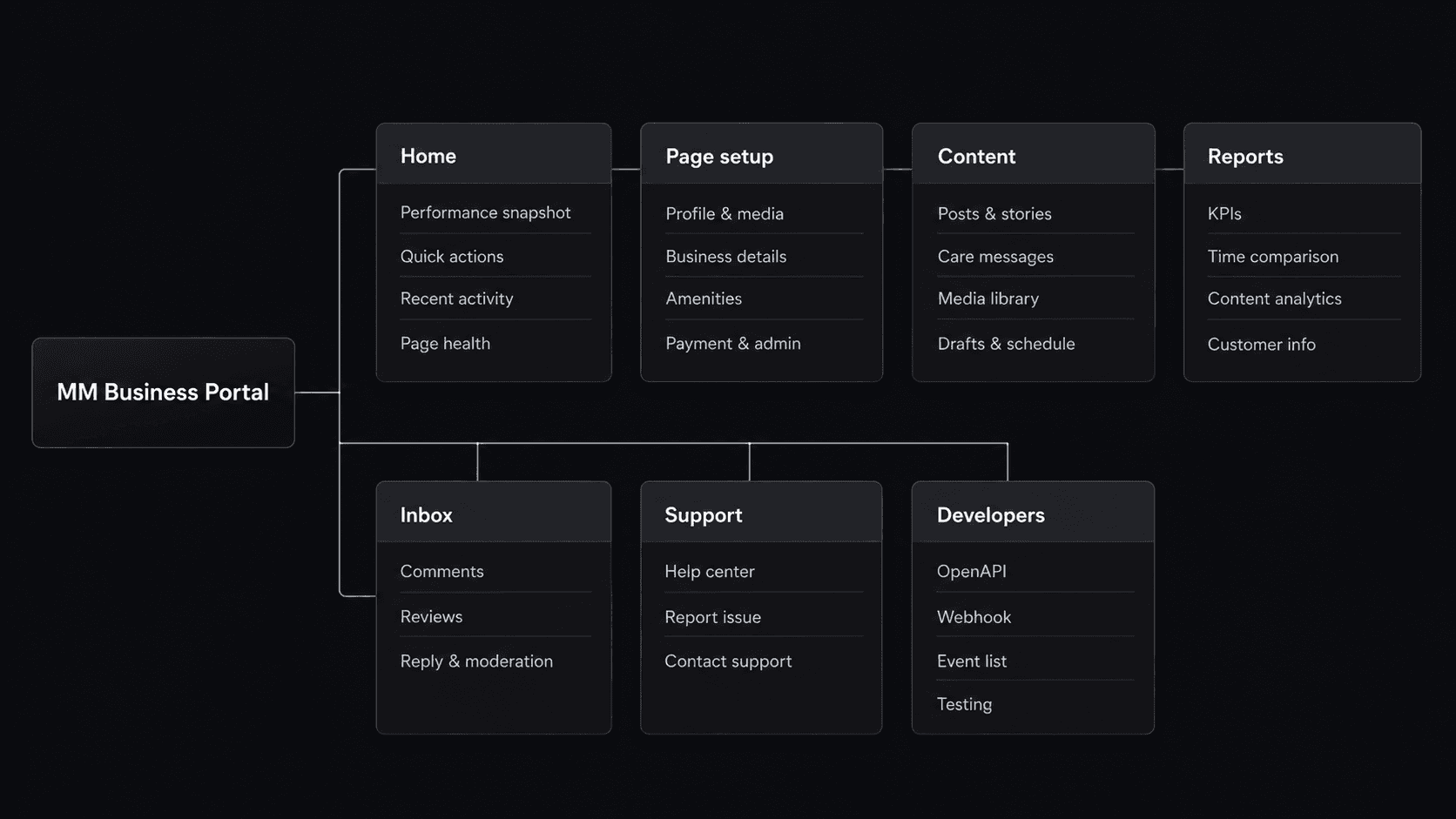
Dedicated seller centers use persistent navigation because more modules appear over time: setup, content, reports, support, permissions, and developer tools.
Cross-platform Mapping
Translated mobile logic into desktop workflows instead of simply enlarging the app
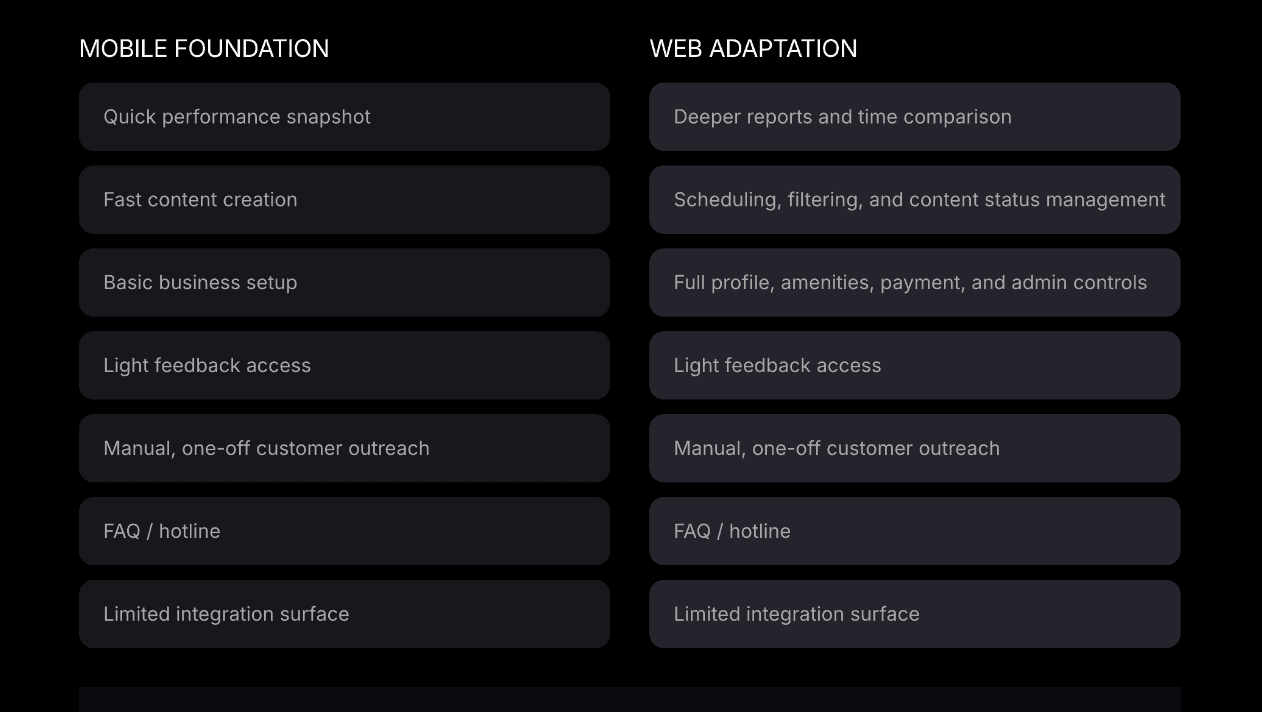
Web Information Architecture
A scalable desktop navigation model for merchant operations
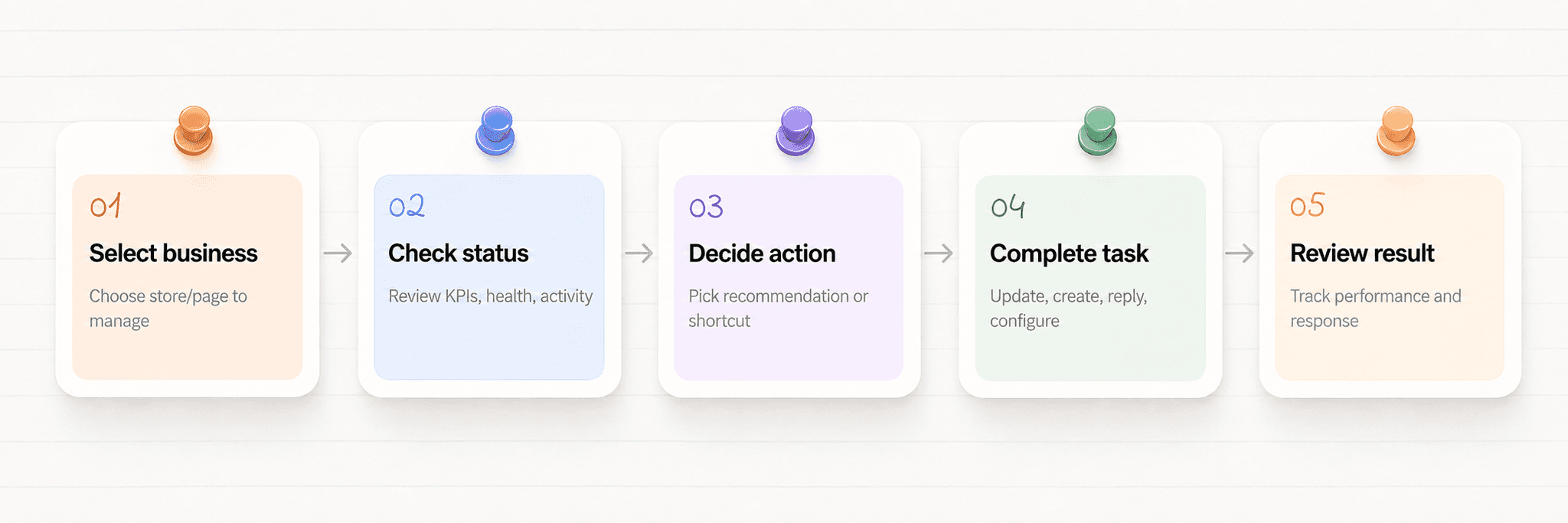
Primary Web User Flow
A repeatable operating loop: understand status, take action, review results.
6.Web Platform Overview
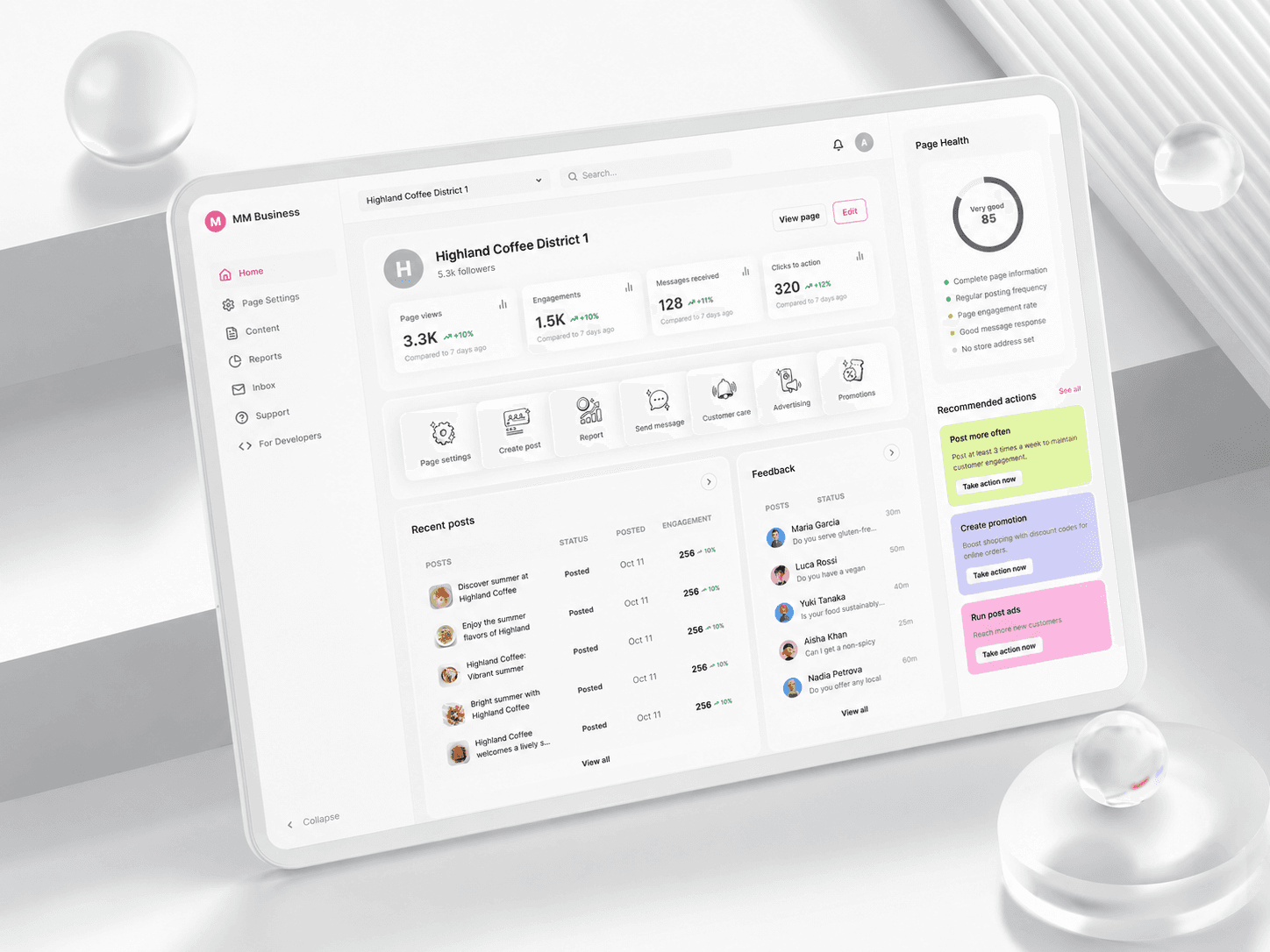
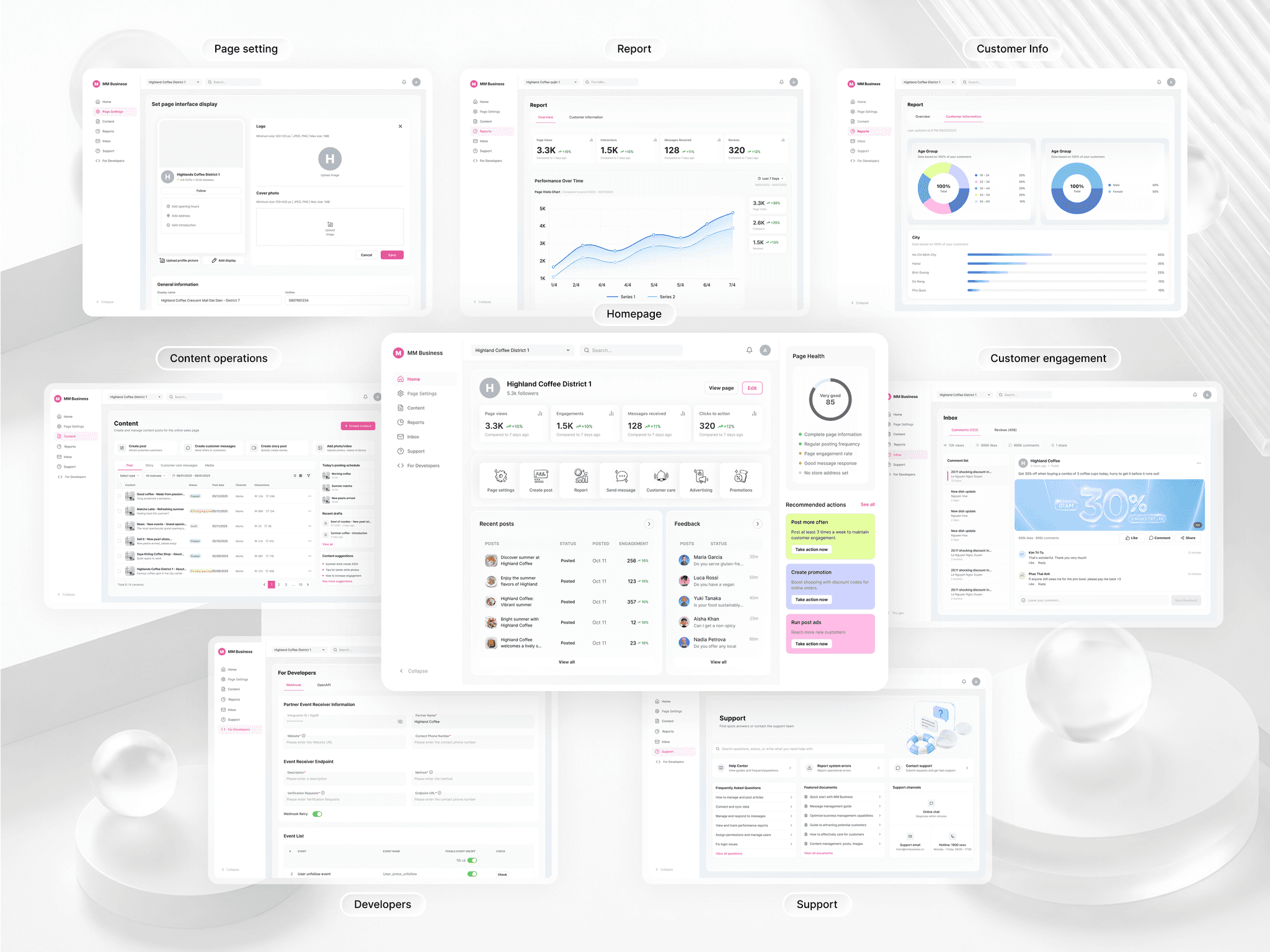
After defining the information structure, analyzing the merchant journey, and studying competitive benchmarks, I translated all findings into a high-fidelity interface. The design aims to deliver clarity, usability, and brand expressiveness while aligning with the product’s design system.
a.Homepage as Command Center
- Performance snapshot before deep navigation
- Quick action hub for high-frequency tasks
- Recent posts and feedback for follow-up
- Page health and recommendations for next action
Next Steps
- User Testing: Conduct usability tests to validate assumptions and identify usability issues.
- Feedback Loop: Collect feedback from merchants to refine the feature set and layout.
- Performance Tracking: Plan to integrate metrics to help merchants see the results of their actions (e.g., post views, customer reach).
Phone: 0352009433
Gmail: tranghuyen5314@gmail.com
LET'S WORK
TOGETHER